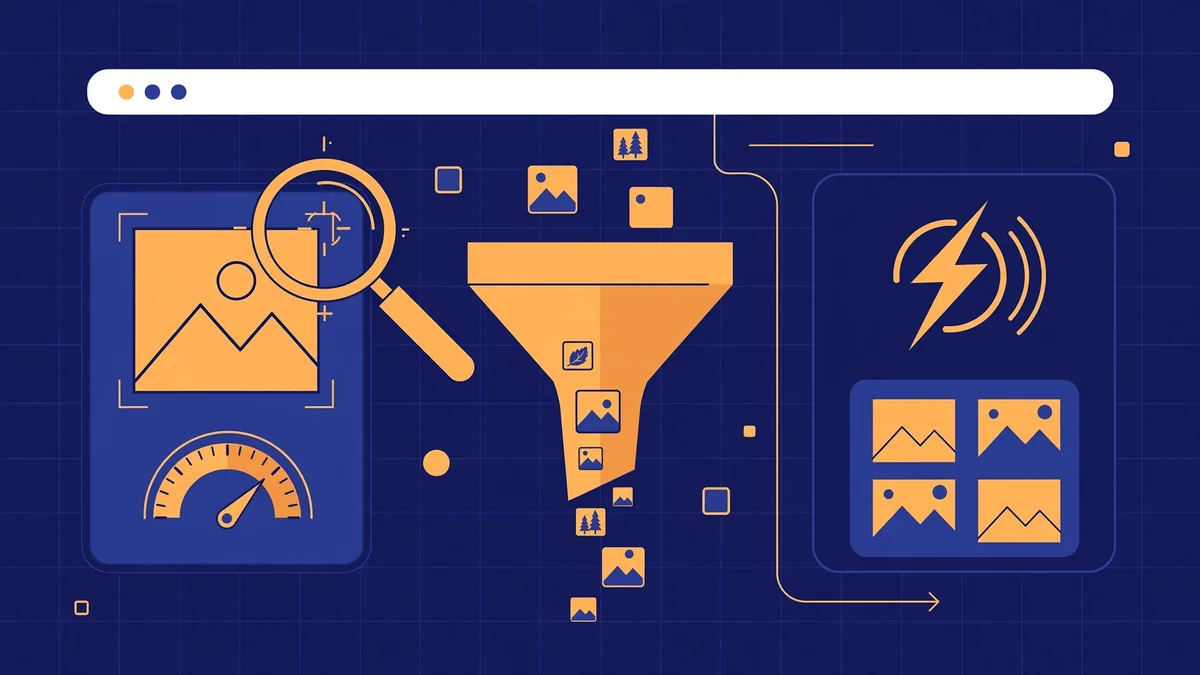
Picture a Jeddah perfume store: beautiful shop, forty professional photos — but nine-second phone loads and zero Google Images presence. Her competitor across Tahlia Street loads in two seconds and ranks for every oud perfume search. This image SEO guide explains the unglamorous work: the text behind the image, the file name, compression.
Every image sends Google four signals — file name, alt text, size, surrounding text. Get them right: faster pages and image-search traffic. Written for Saudi businesses, with Arabic alt-text guidance and a Jeddah e-commerce deep-dive. All facts verified October 2026.
Executive summary
This image SEO guide is the complete playbook: descriptive file names, alt text, WebP and AVIF formats, compression targets, responsive loading — plus the mistakes that quietly kill image rankings.
One honest caveat: image SEO will not rescue a site with broken technical foundations. Fix crawl and indexation first — the image work comes second, and a full campaign runs on its own timeline. For most small sites the work below takes one focused afternoon, and the payoff compounds.
What is image SEO, and why does it matter in 2026?
Image SEO is the practice of optimizing website images so search engines can find, understand, and rank them — through descriptive file names, accurate alt text, smart formats, compression, and responsive loading. This image SEO guide focuses on the three highest-impact levers. It matters more than ever: images dominate page weight, Google Images remains a top search property, and AI Overviews now pull image thumbnails into answers.
Images are often over half of a Saudi e-commerce page’s weight, deciding phone load speed and Core Web Vitals scores — Largest Contentful Paint is very often an image.
Then there is discovery: Google Images is where people buy what they can see, and AI engines read alt text to cite content. In 2026 you serve three audiences — Google’s crawler, the AI layer, and the human on the Jeddah Corniche.
How do search engines “see” your images?
Search engines read images through text, not vision. Google combines four text signals: the file name (read before the image is even downloaded), the alt text attribute, the caption and surrounding body text, and structured data like ImageObject schema. Visual recognition has improved, but these text signals still decide how your image ranks.
Google’s crawler asks four questions per image: file name, alt text, page context, structured data. If all four agree, Google is confident; if three are blank, your image is invisible to search.
Contrarian advice: skip describing the same image in filename, alt text, caption, AND surrounding paragraph. File name plus accurate alt text is the 80/20. Google’s own image SEO documentation confirms these signals remain central.
How do you write alt text that ranks and helps real people?
Good alt text describes the image accurately for someone who cannot see it, in one natural sentence under 125 characters, using a relevant keyword only where it genuinely fits. Write for the screen-reader user first: name the subject, add one meaningful detail, and stop. This image SEO guide’s rule is simple — keyword-stuffed alt text fails at both jobs.
The controversial opinion most guides dodge: alt text is an accessibility feature first, an SEO signal second. Write for the person who cannot see the image. Five rules: describe accurately, stay under 125 characters, use keywords only where natural, never repeat alt text, use empty alt (alt="") for decorative images.
| Bad alt text | Why it fails | Good alt text |
|---|---|---|
image | Says nothing to anyone | Barista pouring latte art at a Jeddah café |
oud perfume oud perfume Jeddah buy | Keyword stuffing | 50ml oud perfume bottle beside dried rose petals |
DSC_0042 | Camera default, zero information | Marble reception desk of a Riyadh dental clinic |
| Same alt on 20 product photos | Duplicate text helps nobody | Unique one-line description per photo |
What are the rules for SEO-friendly image file names?
Rename every image before upload: lowercase letters, hyphens between words, 3–5 descriptive words saying what the image shows, and a relevant keyword where natural. Never upload IMG_4582.jpg or final-final-v2.png. A file named white-orthodontic-braces-riyadh-clinic.webp tells Google — and your future self — exactly what it is. File names are the cheapest win in this image SEO guide: the work happens before the image ever touches your site.
Google reads the file name at crawl time, before downloading a byte. Rules: lowercase only, hyphens not underscores, concise but specific, honest — describe what is actually in the image.
The mistake I see most on Saudi sites: forty photos named IMG_2026xxxx.jpg dumped from a phone into WordPress. Ten minutes of renaming beats most “advanced” tactics. Keep names in Latin script even when alt text is Arabic — Arabic file names URL-encode into unreadable strings.
Which image format should you use in 2026?
Use WebP as your default format for photographs in 2026, AVIF as a progressive enhancement on high-traffic pages via the <picture> element, SVG for logos and icons, and PNG only when you need transparency lossless WebP cannot handle. This image SEO guide recommends WebP: JPEG-level quality at roughly 25–35% smaller file sizes, supported by every major browser.
Format choice was a compatibility headache; in 2026 it isn’t — all major browsers render WebP natively. AVIF goes 20–30% smaller but encodes slower: serve it as the first <source> in a <picture> element with WebP as fallback. This image SEO guide’s format rule for a new site: WebP everywhere, AVIF via <picture> on top pages, SVG for logo and icons. Existing WordPress site: install ShortPixel or Imagify to convert your library automatically.
| Format | Best for | Watch out for |
|---|---|---|
| WebP | Photographs, product images, hero images — the 2026 default | Slightly slower to encode than JPEG |
| AVIF | High-traffic pages where every kilobyte counts | Slower encoding; use as enhancement |
| JPEG | Legacy fallback | 25–35% heavier than WebP at the same quality |
| PNG | Screenshots, graphics needing transparency | Huge files for photographs |
| SVG | Logos, icons, simple illustrations | Not for photographs |
How do you compress images without ruining quality?
Compress every image before upload: resize to the exact display dimensions first, then run it through a compression tool at quality 75–85 for WebP/JPEG, and verify the result visually. Aim for under 100 KB for content images and under 200 KB for hero images. In this image SEO guide’s workflow the order matters — resizing first removes wasted pixels, compression then removes wasted bytes.
Two flavours: lossy (quality 75–85) for photographs, lossless for logos. The classic blunder: uploading a 4000-pixel original for an 800-pixel slot — visitors download 4000 pixels of weight and see 800.
| Image type | Target size | Notes |
|---|---|---|
| Hero / above-the-fold banner | Under 200 KB | Preload it; never lazy-load the hero |
| Article / content images | Under 100 KB | WebP at quality 75–80 is usually plenty |
| Product thumbnails | Under 60 KB | Thumbnails multiply — 40 × 300 KB is 12 MB |
| Icons and small graphics | Under 40 KB | Consider SVG instead |
Squoosh is free and browser-based — perfect for one-offs. TinyPNG is the simplest drag-and-drop option. For WordPress libraries, ShortPixel or Imagify automate everything. A 2 MB JPEG typically becomes 120–180 KB as WebP at quality 80 — two-thirds off the page weight (see W3era’s 2026 guide).
Image SEO for Jeddah e-commerce: product photos that win White Friday
Jeddah’s online stores live or die by product photography — and White Friday is when image SEO pays for itself. Audit every product image six to eight weeks before the sale: descriptive file names, unique alt text, WebP format, thumbnails under 60 KB, Product structured data. This image SEO guide’s Jeddah rule is blunt: category pages loading in under 2.5 seconds on mobile capture the comparison shoppers slower rivals lose.
Why Jeddah? The Kingdom’s most Arabic-heavy, mobile-first shoppers live here. White Friday spikes in late November and Google needs weeks to recrawl — start the audit in early October.
The winning pattern: one hero image per product (WebP, under 200 KB, preloaded if it defines LCP), three to five supporting angles (under 100 KB, lazy-loaded), descriptive file names, unique alt text, Product schema, and srcset for phones. Do this across your top 50 products. If Maps visibility matters too, our local SEO services handle that side.
Why Jeddah stores should audit before the holiday rush
Two Jeddah edges: language — shoppers search in Arabic more than Riyadh’s B2B crowd, so Arabic alt text captures queries competitors miss; and seasonality — White Friday and Ramadan create predictable spikes, and Google’s image index updates on crawl cycles, not your calendar. Makkah and Madinah hotels should refresh photos four to six months before Ramadan.
The image SEO checklist: audit and fix your site this week
Run this audit on your ten most important pages — most small sites finish in a single afternoon. The items below match what every current 2026 checklist treats as table stakes: descriptive hyphenated file names, WebP/AVIF format, correct display dimensions, compression under target size, unique alt text (or empty alt for decorative images), width and height attributes, lazy loading below the fold only, an unblocked image folder in robots.txt.
Start with measurement: PageSpeed Insights names the exact slow files (see AltText Studio’s 2026 checklist); Screaming Frog’s free tier exports the image report.
| Audit item | Pass criteria | Fix |
|---|---|---|
| File names | Descriptive, lowercase, hyphenated | Rename and re-upload |
| Alt text | Present, accurate, under 125 chars, unique | Per-image descriptions; alt="" for decorative |
| Format | WebP/AVIF for photos, SVG for icons | Convert with ShortPixel, Imagify, or Squoosh |
| Dimensions | Matches display size; width/height set | Resize before upload; add attributes |
| File size | Under 200 KB hero, under 100 KB content | Compress at quality 75–85 |
| Loading | Lazy below fold; hero preloaded, never lazy | loading="lazy" below-fold; fetchpriority="high" on LCP |
| Responsive | srcset serving smaller files to phones | Implement srcset + sizes |
| Crawlability | Images return 200; folder not blocked in robots.txt | Fix 404s; submit image sitemap |
Two easy mistakes: lazy-loading the hero (preload it instead), and forgetting width/height attributes (layout jumps fail CLS). If templates cannot output responsive images at all, the theme is the bottleneck — a website design services problem.
A 7-day action plan
Day 1: audit. Day 2: rename files. Day 3: alt text. Day 4: WebP. Day 5: dimensions. Day 6: lazy loading, hero preload. Day 7: robots.txt, sitemap, re-test. If the technical side feels heavy, an on-page SEO engagement covers the cleanup.
Frequently asked questions
Does image SEO still matter in 2026?
Yes — more than five years ago. Images dominate page weight, driving Core Web Vitals; Google Images remains a top search property; AI Overviews now include image thumbnails; and AI engines read your alt text to cite your content. Sites treating images as decoration leave three traffic channels on the table — which is why this image SEO guide exists.
How long should alt text be?
Under 125 characters — screen readers truncate longer descriptions, so brevity is an accessibility requirement. One natural sentence naming the subject plus one detail: “Barista pouring latte art at a Jeddah café” is 44 characters and does the job. Need more? Use the caption. Read yours aloud — if it sounds robotic, rewrite it for the human first. Longer descriptions get skipped, and the listener misses the point entirely.
Should I put keywords in every image file name?
Include a relevant keyword where it honestly describes the image — oud-perfume-50ml-jeddah.webp is good practice. Do not force keywords into decorative images or logos; Google reads stuffed file names like stuffed alt text. Describe first, optimize second — the filename is a label, not a lottery ticket. When the keyword fits the picture, include it; when it doesn’t, leave it out.
WebP or JPEG — which should I actually use?
WebP, in nearly every case in 2026: JPEG quality at roughly 25–35% smaller file sizes, supported natively by all major browsers. Use AVIF via <picture> on high-traffic pages for another 20–30% saving. Keep JPEG only as a fallback. The switch is low-risk: convert a batch and compare visually. Your visitors will never notice the format change — only the faster load.
What is alt text in Arabic, and should I write alt text in Arabic?
النص البديل (an-nass al-badeel — “the alternative text”, MSA) is the Arabic term for alt text — and yes, write alt text in Arabic when the page and audience are Arabic. Jeddah shoppers and Makkah’s hospitality guests search in Arabic, so Arabic alt text captures queries competitors miss. Keep file names in Latin script; the Arabic meaning belongs in the alt text.
Should I lazy load all my images?
No — lazy load below-the-fold images only, never the hero or LCP image. It defers downloads until the user scrolls near, speeding up initial load. Applied to the hero, it delays the element defining your Largest Contentful Paint score. Rule: loading="lazy" everywhere except the first screen, where you preload instead. Get this backwards and your performance scores will tell you immediately.
Can I do image SEO myself, or do I need an agency?
Most of it is DIY-friendly: renaming files, writing alt text, compressing with Squoosh, and installing ShortPixel are afternoon-level tasks. An agency earns its fee on the technical layer — responsive templates, srcset, LCP preloading, structured data. If your audit surfaces those gaps, compare our plans on the pricing page against leaving them. Be honest about where your time is better spent than on technical configuration.
How do I check if my images are hurting my page speed?
Run the page through PageSpeed Insights — it names the exact slow files and the potential savings. For a site-wide view, crawl with Screaming Frog’s free tier and export its image report. Fix flagged images on your highest-traffic pages first, where ranking and revenue impact concentrate. A handful of images usually cause most of the damage. Repeat the audit quarterly — image debt accumulates silently.
The bottom line
Remember the Jeddah perfume store — beautiful photos, nine-second loads, invisible in image search? The fix was never a new photographer: an afternoon of renaming files, honest alt text, WebP conversion, compression. That is this image SEO guide’s thesis — images rank when light, labelled, legible to machines.
Priority order for this image SEO guide: file names and alt text on your ten key pages first. Second, WebP conversion and compression. Third, the technical layer — responsive images, lazy loading, hero preloading, dimensions. Expectations stay honest: results compound over crawl cycles (how we talk about SEO results). When DIY outgrows itself, our on-page SEO service handles the cleanup. Start at EazyRankSEO, or check our SEO pricing.
About the author: Mohammad Muttiullah is the Founder of EazyRankSEO, an SEO agency serving businesses across Riyadh, Jeddah, Makkah, and Madinah. About our team.